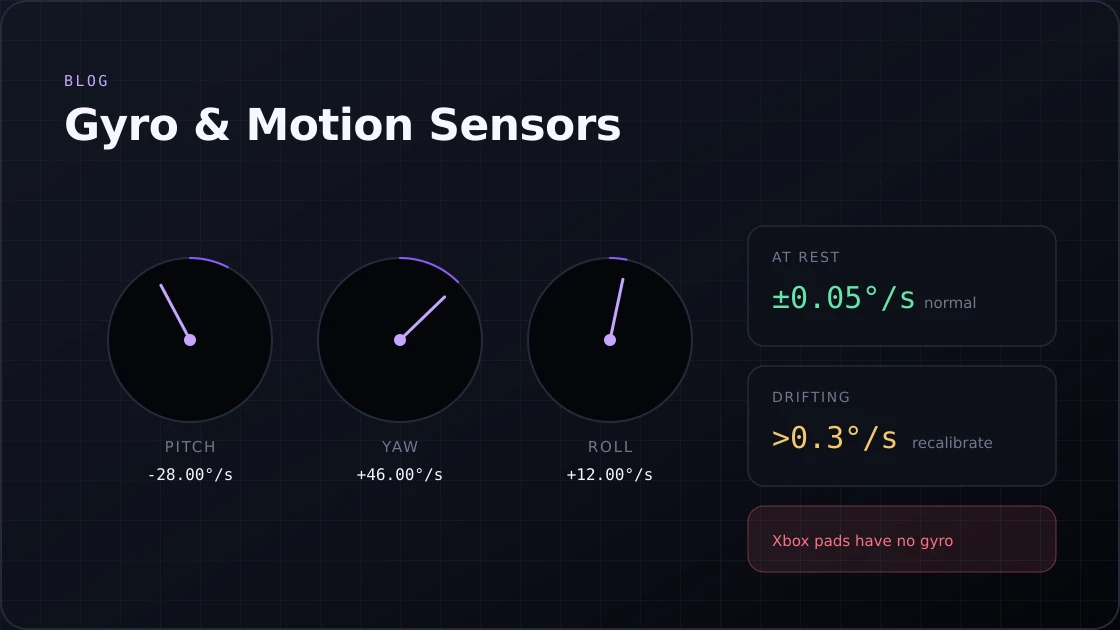
Gyroscope & Motion Sensor Tester: Test Controller Gyro Online
Test your controller's gyro sensor online. Check pitch, yaw & roll on PS5, Switch & more. Spot gyro drift in seconds. No download required.
15 min · August 6, 2026
Test your controller's input lag and response time in seconds with our free controller latency tester. Works for PS5, PS4, Xbox, and PC.
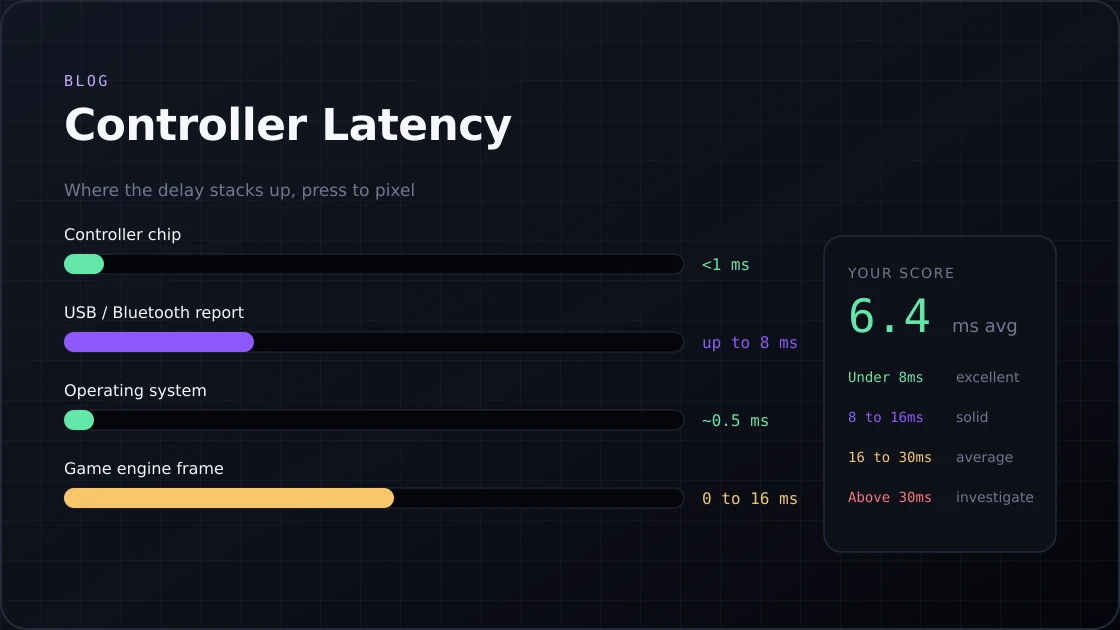
Every controller carries some amount of latency, no matter the brand or platform. It is the time between your finger pressing a button and that signal reaching the game, and it builds up in stages: the controller's internal chip, the connection type, the operating system, and the game engine each add a small piece of the delay. Wired controllers usually land somewhere between 1 and 8 milliseconds. Bluetooth pads run higher on average, often between 8 and 16 milliseconds, depending on the controller and how crowded the wireless signal is in your room.
This controller latency tester, also known as a controller input latency test, measures all of that directly in your browser with the same gamepad tester engine that reads your buttons and sticks. Run a controller latency test online for any PS5, PS4, Xbox, or PC controller, and you get your real numbers in under two minutes, with no download and nothing to install.
Controller latency is the time between pressing a button and the game actually reacting to it. It happens in stages, and each stage adds its own small delay. None of these delays is huge by itself. Stacked together, they can add up to something you genuinely feel during a fast match.
Add it all up, and a typical setup lands somewhere between 10 and 30 milliseconds before the screen even shows a response.
Most people can't consciously feel a 10 millisecond delay. Their hands still react fine to it.
Running a controller latency test online tells you exactly where your setup sits instead of leaving you to guess your controller's response time.
Testing your controller takes less than two minutes once everything is connected. Here's the full process from start to finish.
If your controller isn't registering single presses cleanly during this step, a quick check with a gamepad button tester can rule out a hardware problem before you even start measuring latency.
PC adds a few more moving parts than a console does, mostly because Windows handles input through several layers before it ever reaches the game.
If your readings look unusually jumpy on PC, it's worth watching the resting axis values too, since a stick reporting constant phantom movement can quietly add noise to your button timing as well.
If you want the most accurate controller latency test pc setups can produce, stick with Chrome or Edge, and test wired before you test wireless.
The DualSense has a reputation for being one of the more responsive pads out of the box, and a PS5 controller latency test usually backs that up.
The DualShock 4 has a strange history that throws people off. For years, players noticed their controller felt faster over Bluetooth than wired on the original PS4, which is the exact opposite of what most people expect.
Bluetooth doesn't send your input the instant you press a button. It batches small packets together first, which is part of why a Bluetooth controller latency test almost always shows more jitter than a wired one.
This controller latency tester runs entirely in your browser using the Gamepad API, the same system browsers already use to detect joysticks and pads. There's nothing to download and nothing running in the background.
It does not measure display lag or the wiring inside the controller itself. Those need lab equipment that a browser simply can't reach. What you get instead is a dependable way to test controller latency and compare one setup against another.
| Your Score | What It Means | Good For |
|---|---|---|
| Under 8ms | Excellent, close to the practical limit | Competitive shooters, fighting games |
| 8 to 16ms | Solid and reliable | Most competitive and casual play |
| 16 to 30ms | Average, fine for most people | Everyday gaming |
| Above 30ms | Something is slowing your setup down | Worth troubleshooting |
If your number lands above 30 milliseconds, don't panic. It almost always points to something fixable, like a Bluetooth connection fighting for bandwidth or a controller running low on charge.
Polling rate decides how often your controller checks in with whatever it's connected to. It's the single biggest factor behind most latency test controller results, more than the brand of controller or the game you happen to be playing.
| Controller | Native Polling | How to Reach 1000Hz |
|---|---|---|
| PS5 DualSense | 250Hz | Software tools like DS4Windows |
| PS4 DualShock 4 | 125Hz to 250Hz | Software tools like DS4Windows |
| Xbox Series X/S and Xbox One | 125Hz | No official method available |
| Third-party pads | 1000Hz native | Built in, no extra steps needed |
Going from 125Hz to 1000Hz sounds dramatic, but it only matters if your game and monitor can actually keep up with it. At 60fps, the difference is barely there. Push past 144fps, and it genuinely starts to count.
If your test came back higher than you'd like, the fix is usually simpler than people expect.
A drifting stick can also throw off your latency reading, since it sends constant phantom inputs that confuse the timing. If your numbers look unusually high or jumpy for no clear reason, it is worth checking the sticks for drift before you blame the connection. And if none of these fixes help, a full controller calibration is a reasonable next step before assuming the hardware itself is faulty.
This test measures the time between your browser receiving the input and processing it. True hardware latency needs lab equipment.
Background apps, your operating system, and wireless interference all shift slightly between sessions. Run it three or four times and look at the average instead of a single attempt.
Yes, even when the raw speed ends up close. A good wireless connection can match a wired one under ideal conditions, but wired stays steady.
A score under 8 milliseconds is normal. Most players will be perfectly happy anywhere under 16 milliseconds. Anything past 30 milliseconds means there is something wrong with the controller.
No, since this tester runs through a browser's Gamepad API, and console browsers don't support it the same way a PC browser does.
Connect your controller with a proper data cable, close background apps, plug your laptop into power if you're using one, and run the test on Chrome or Edge for the steadiest results.
Test your controller's gyro sensor online. Check pitch, yaw & roll on PS5, Switch & more. Spot gyro drift in seconds. No download required.
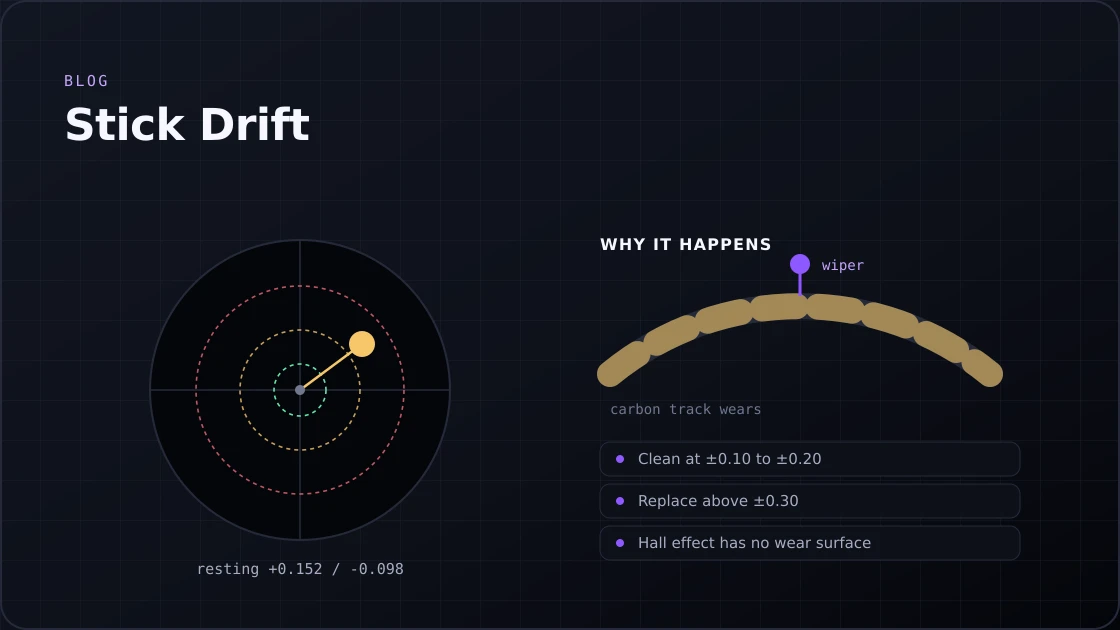
Got stick drift on PS5, Xbox, or Switch 2? Test your controller, identify the causes, and fix it for good with these proven steps.
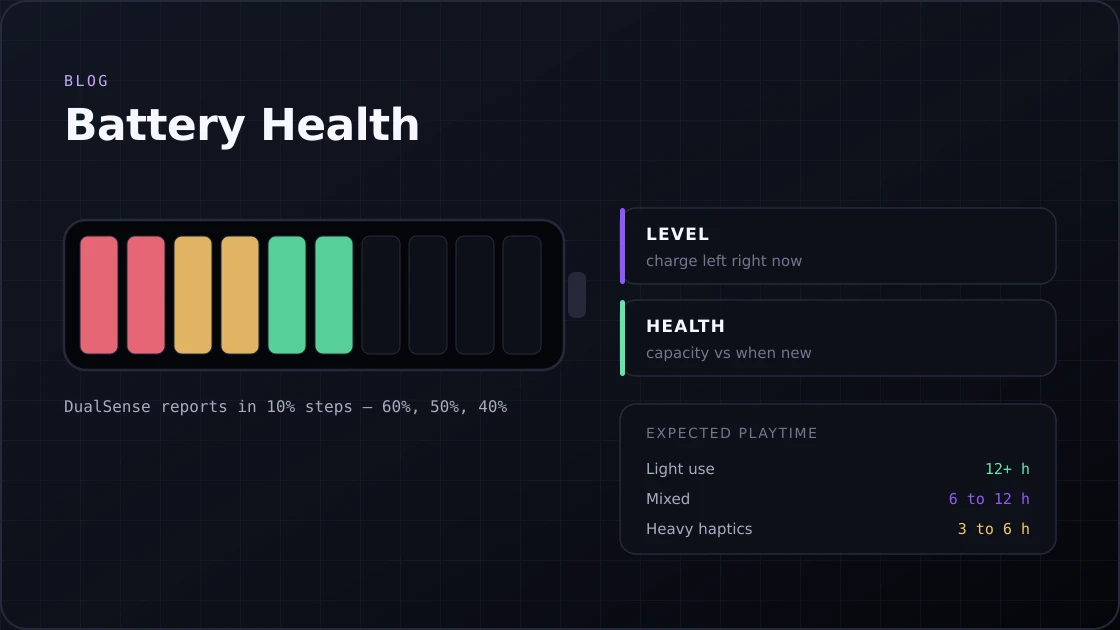
Not sure how to check PS5 controller battery health or Xbox battery level? Follow this guide to monitor, fix, and extend your controller battery life.
Or go back to the gamepad tester and read your controller's live values.